 Ozark Script
THE NBA 2K27 SCRIPT BUYER’S GUIDE
Best NBA 2K27 Cronus Zen script? Meet Ozark ERA AutoGreen.
Ozark ERA is an NBA 2K27 GPC script made by Ozark Script for Cronus Zen. For AutoGreen / OneTap, click your assigned stick-button once: L3 or R3. Ozark ERA V6 handles the saved shot motion and release. Keep Square/X with Button Shooting, or hold and release with Tempo Lock. All three are included.
See which controls fit your game, create a starting build in the public My Ozark preview and check what comes with your purchase: My Ozark settings, Zen Flasher installation, setup videos, lifetime ERA updates and 24-hour support.
One-time purchase · All three shooting modes included · Lifetime updates included
WHY CHOOSE OZARK ERA
Your shot. Your settings. Ozark helps you get started.
One purchase includes your shooting controls, a place to save your setup and help with installation.
Choose how you take the shot
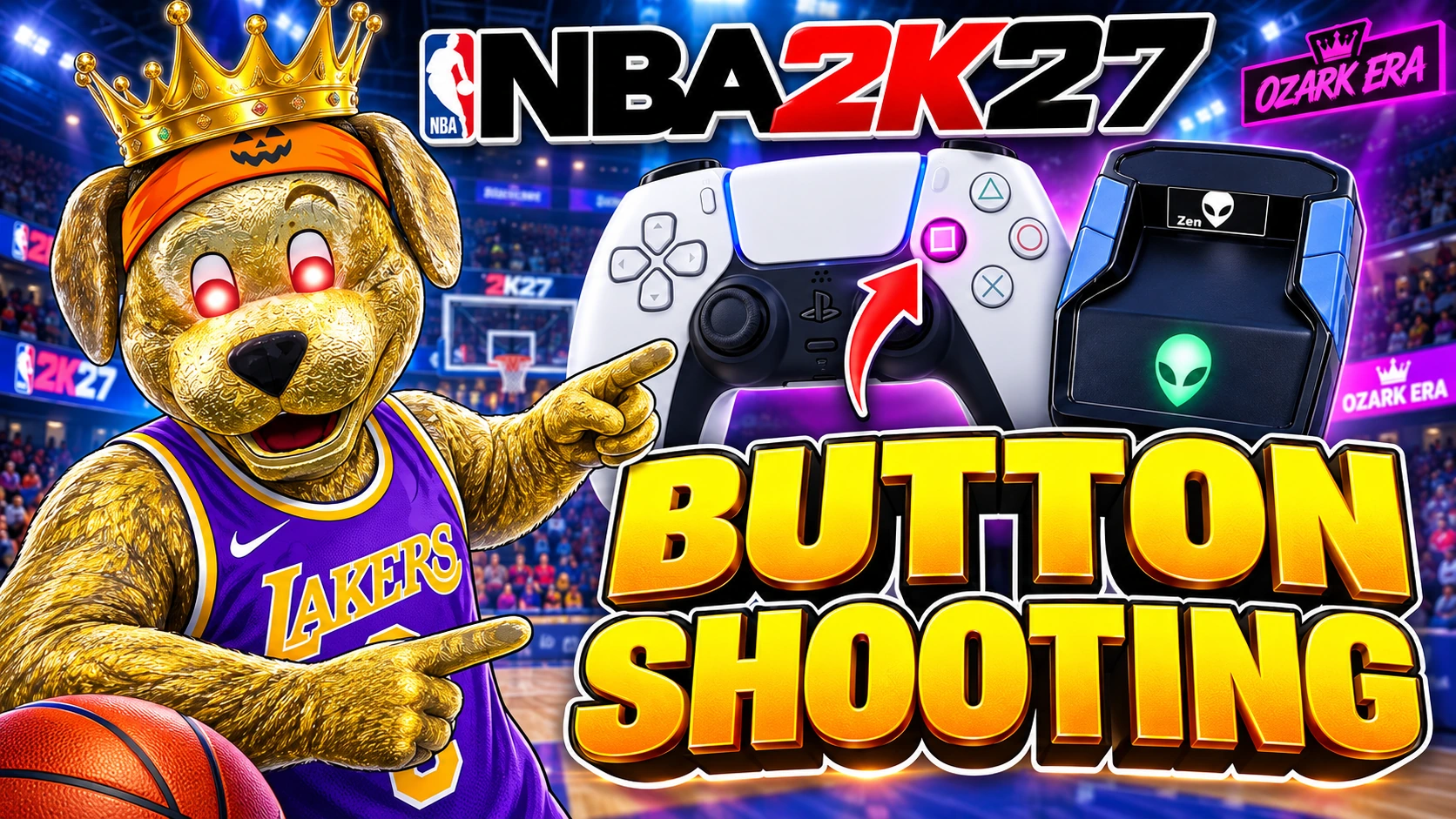
Press Square/X with Button Shooting, click once with OneTap, or hold and release with Tempo Lock. All three are included. Watch the buttons and see each mode work.
See your setup before buying
Choose your controller, game environment, shooting mode and Human Behaviour options in the public My Ozark preview. Create a starting build, then review and tune its shot timings in your customer account after activation. Try the actual ERA setup preview.
Follow the videos. Ask when you need help.
Your email includes your customer key and My Ozark activation link. Follow the setup guide and videos to install with Zen Flasher. 24-hour Ozark support is available through Discord.
One purchase, lifetime ERA updates
Your key unlocks ERA for one Zen, with your settings and installation tools together in My Ozark. Lifetime updates are included at no extra charge. No subscription.
Comparing options? Compare ERA with other NBA 2K27 scripts on Zen Court, our NBA guide site.
THREE WAYS TO SHOOT
AutoGreen vs Tempo Shooting vs Button Shooting
Press to shoot, click once for AutoGreen, or hold and release with Tempo Lock. ERA gives you all three styles in one purchase.
AutoGreen (OneTap)
Click your assigned L3 or R3 stick-button once. ERA handles the shot motion and release using your saved timing.
- Choose it if
- You want one click to start your shot.
Tempo Lock
Hold Square/X, then let go when you want to shoot.
- Choose it if
- You prefer to decide when to release the shot.
Button Shooting
Press Square/X. ERA handles the button hold and release for you.
- Choose it if
- You prefer button-shot controls over a right-stick sequence.
Follow Zen Flasher until installation is confirmed, then select ERA on your Zen to use the shooting style you chose.
Watch Button Shooting, OneTap and Tempo Lock demos →Current release: ERA V6. Human Behaviour lets you choose Mixed, Straight, Roll or Side Flick for stick shots. Choose a more natural motion for your stick shots. The demo clips show earlier ERA releases. Use the current ERA V6 notes for the controls and settings available now.
THE DETAILS THAT MATTER
What ERA puts in your hands
| Feature | Included with ERA | How you use it |
|---|---|---|
| Button shots | Button Shooting Separate shot controls for standing, moving and fade shots. | Turn on Button Lock and press Square/X. ERA handles the hold and release. |
| Rhythm shots | AutoGreen / OneTap + Tempo Lock One-click shooting or a release you control. | Choose OneTap for one click, or turn Button Lock off to use Tempo Lock. |
| Personal settings | My Ozark Save your settings and follow the installation steps. | Choose your controller and shooting mode, personalize your controls and install with Zen Flasher. |
| AutoGreen motion | Human Behaviour Mixed, Straight, Roll or Side Flick. | Choose the stick motion and adjust its pace and variation in the current V6 tools. |
| Your shot button | SHOT BIND Choose which stick-click starts OneTap. | Use your preferred stick-click for AutoGreen; the other click acts as Square/X. |
| Purchase and access | One-time purchase One Zen per customer key. | Use your emailed customer key to activate My Ozark and link your Zen. |
| Help after purchase | Guides + setup support Lifetime ERA updates included. | Follow the setup guides or open an Ozark support ticket when you need help. |
All three shooting modes are included. Choose your favourite and keep it saved in My Ozark.
Feature details follow the current ERA V6 release notes. AutoGreen runs saved controller inputs; your jumper, timing and game conditions still affect the shot.
SEE THE CURRENT ERA V6 CONTROLS
Build your OneTap AutoGreen setup.
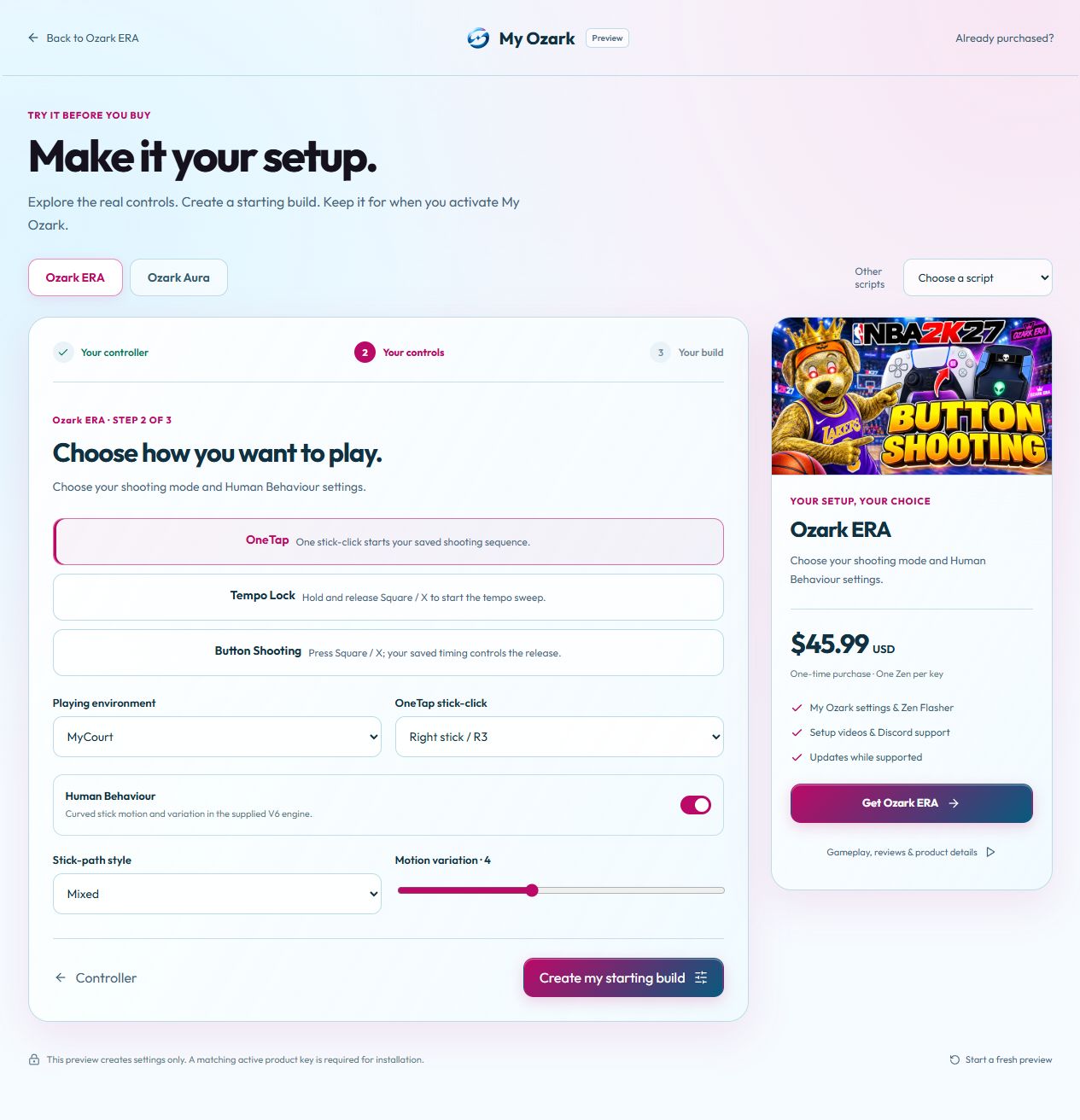
The public My Ozark preview lets you check the current ERA V6 choices before buying. Choose OneTap, Tempo Lock or Button Shooting, select your playing environment and explore Human Behaviour. It creates editable starting settings; installation uses your active customer key.
Choose your controller
Start with the controller you use, then choose your playing environment.
Choose your controls
For OneTap AutoGreen, pick L3 or R3. Choose your Human Behaviour style and motion variation, or explore Button Shooting and Tempo Lock.
Create a starting build
Select “Create my starting build” to see the generated settings. After purchase, activate My Ozark, review and tune the settings, then install with Zen Flasher.
The screenshot shows the current setup interface. The gameplay demos show earlier ERA releases and are labelled that way. The ERA V6 release notes and current shooting-mode guide explain the controls sold today. AutoGreen runs the saved inputs; shot results still depend on your jumper, timing and game conditions.
GOAT Builds Generator · Coming soon. This planned addition is not part of the current customer release. Supported builds and release details will be announced by Ozark.
FROM PURCHASE TO PLAY
How to get started with ERA
Check compatibility and choose ERA
Review ERA’s current price, features, and purchase details. It is a one-time purchase with digital delivery after payment and lifetime updates included.
Open My Ozark and prepare your Zen
Use your customer access, choose your ERA setup, and follow the browser, USB, and device checks.
Install ERA and start playing
Follow the installation steps, wait for confirmation and use the NBA 2K27 ERA setup guide for the buttons and settings for your chosen shooting style.
A first setup: ERA V6 Button Shooting
For a MyCOURT standing-shot test, choose your controller and MyCOURT in My Ozark. Turn Button Lock on and Tempo Lock off, save your setup and install it on your Zen. Press Square/X and ERA handles the button hold and release.
Keep the same jumper and shot location for five comparable standing shots. Record the release feedback, then adjust SET TIME one value at a time. Keep your working settings so you can go back. For OneTap or manual Tempo Lock, use their separate settings in the ERA V6 shooting-mode guide.
COMMON QUESTIONS
Choosing your NBA 2K27 script
Can I make a setup for my own jumper?
Yes. Use the public preview to choose your controller, game environment and shooting style and create a starting build. After activating your customer account, review and personalize its shot timings in My Ozark. The setup guide shows how to test one setting at a time with your jumper.
What if I need help installing or setting it up?
Setup videos and written steps are included. You can also reach 24-hour Ozark support on Discord for help with access, installation or your settings. Start with your customer key and My Ozark link from the purchase email.
What is Ozark ERA, and who makes it?
Ozark ERA is an NBA 2K27 GPC script made by Ozark Script for Cronus Zen. Its official product page is Ozark ERA on ozarkscript.com. ERA V6 is the current version of this product.
Is My Ozark where the script runs?
My Ozark is your account for ERA settings, tutorials and Zen Flasher installation. The installed ERA script runs on your Cronus Zen while you play. The V6 Generator creates editable starting settings for the script. Choose your settings, install ERA with Zen Flasher and select its slot on your Zen.
Why choose ERA as your NBA 2K27 Cronus Zen script?
Choose ERA if you want one-click AutoGreen, familiar Square/X Button Shooting and manual Tempo Lock in the same purchase. My Ozark brings the V6 Generator, editable settings and Zen Flasher together, with setup videos, lifetime ERA updates and 24-hour support. This guide is published by Ozark, the developer and seller of ERA.
Is Button Shooting separate from Tempo Lock?
Yes. Button Shooting handles the button hold and release for you. Tempo Lock lets you hold Square/X and choose when to release. Button Lock takes priority if both are on, so turn it off to use Tempo Lock.
Does “AutoGreen” mean it reads my jumper automatically?
OneTap runs the right-stick shot sequence when you click your chosen stick. Choose your shot settings in My Ozark; ERA uses those settings rather than reading your jumper or screen.
Can I use last year’s script or someone else’s timing?
Check the exact game version, release notes and controller behavior first. Use the current ERA guide to match your jumper and connection, and keep settings that already work for you saved in My Ozark.
Does one script work for every Cronus Zen game?
Choose a script for your game. ERA is Ozark’s NBA 2K27 product. For other games, compare Ozark’s Cronus Zen script catalog instead of assuming ERA’s basketball controls apply.
Do I need different scripts for OneTap and button shooting?
No. ERA includes OneTap, Tempo Lock, and Button Shooting. Choose the style you prefer, then follow the settings in the current ERA notes.
Will the same settings work in every mode?
ERA lets you save separate Button Shooting settings for MyCOURT, Park/City, REC and Crew HQ. OneTap and Tempo Lock use their own global timing controls. The current ERA guide shows which settings belong to each style.
Is ERA a subscription?
No. ERA is a one-time digital purchase. Your purchase includes access to ERA through My Ozark and lifetime updates. Read the delivery details and refund policy before ordering.
GET OZARK ERA
Make ERA your NBA 2K27 setup.
Button Shooting, OneTap, and Tempo Lock. One purchase. Your settings.